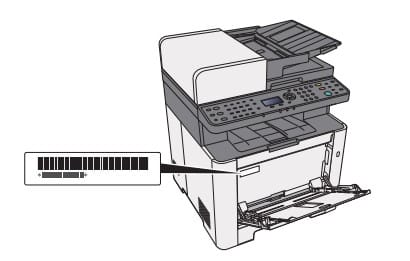
Open the multi-purpose tray to find the serial number. It will be a white label that looks like a barcode.
The serial number is also located in the upper right corner on the printed status page.
Status page :
System menu/counter– list print – printreport –status page –press and confirm with YES on the display
Lorem ipsum dolor sit amet, consectetur adipiscing elit. Ut elit tellus, luctus nec ullamcorper mattis, pulvinar dapibus leo.