If the problem persists, please provide us with a detailed description of the error. In order to resolve your issue as quickly as possible, please also provide us with the following information:
Status page :
– System menu/counter – List print – Print report – Status page – Press and confirm with YES
Service status page :
– System menu/counter – List print – Print report – Service status – Press and confirm with YES
Test page :
– System menu/Counter – Settings / Maintenance – Service settings [User: 2600/ Password: 2600] – Test page – Press OK and confirm with YES
General information and notes:
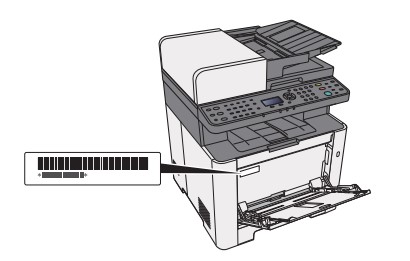
Checking the device serial number:
The serial number of the device can be found in the following location, as shown in the figure.
Original Toner
To ensure long-lasting quality, we recommend using only original Kyocera toner containers, as these have to pass numerous quality tests.
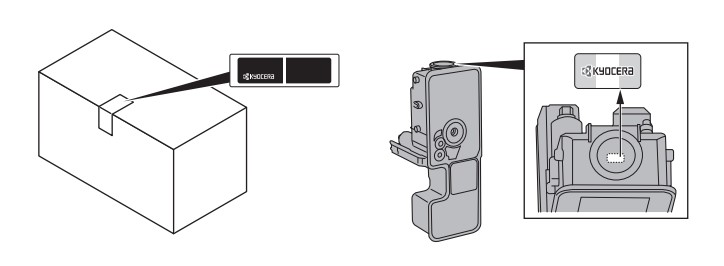
If non-original toner is used, this can lead to malfunctions. We accept no liability for damage caused by using consumables from other suppliers. Our replacement toner containers are provided with a special sticker as shown below and are therefore recognizable as original consumables.
Request KYOCERA support
To request Kyocera support, please click on the button below to access our service centre.